


Phone Mirror app - True Mirror
4.61.07K Reviews
App Specs
- Version
- 10.0.0
- Updated On
- License
- Free
- Downloads
- 10,000,000+
- Developer
- Cards
- Categories
- Beauty
- Platform
- Android
Screenshots
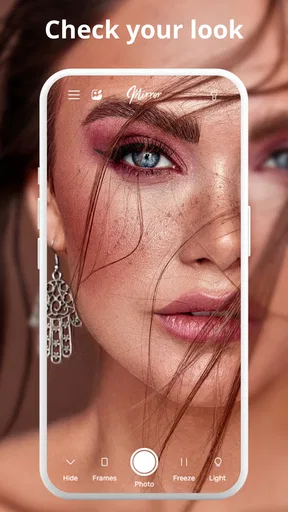
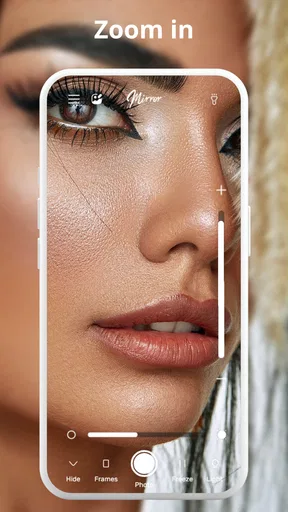
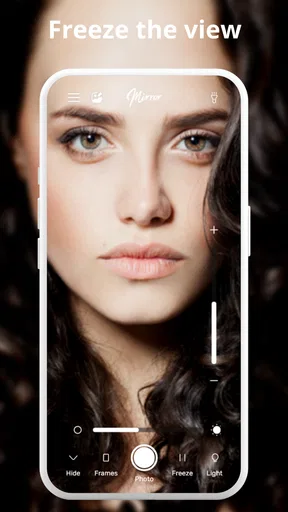
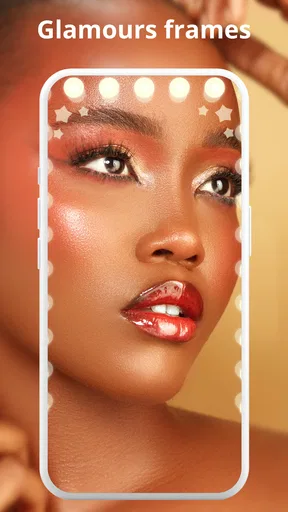
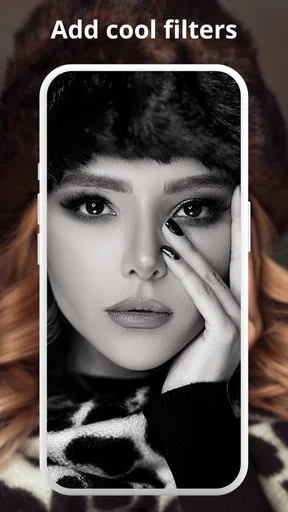
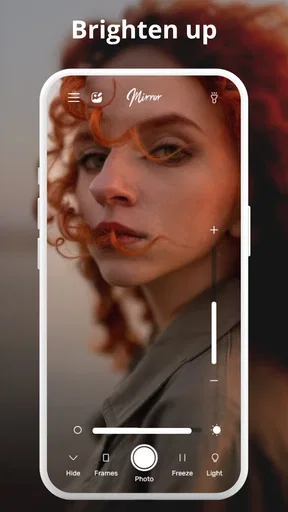
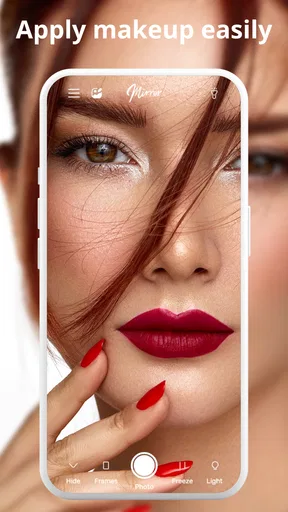

 Analysis by AppCompare
I reach for a phone mirror most often when I need a quick, close look at my face, not when I want to send my screen to a television. That distinction matters with Phone Mirror: it is a beauty app built around using the phone as a mirror, with a photo editor, zoom, and light. If you are deciding whether it deserves a place on your home screen, the useful question is less “Does it work once?” and more “Will I remember to open it after the novelty wears off?”
The first-week appeal: a mirror that is already in your pocket
The appeal is immediate and practical. A phone is usually within reach, and a mirror app can save you from searching for a reflective surface when you want to check your hair, makeup, or a small detail before leaving. The zoom and light are particularly relevant when the room is dim or you need to inspect one area more closely. I would treat those controls as aids to a quick check, rather than assume they replace good lighting or a proper mirror for detailed makeup work.
A realistic routine is getting ready in a bathroom with uneven light, then stepping somewhere brighter and using the screen again to see whether a color or edge looks different. The phone’s light can help reveal details, but it can also make skin and makeup appear harsher than they do in ordinary daylight. My practical tip is to use the light to find a detail, then switch it off and check the overall look in natural or room lighting before making a change.
Where the editor fits—and where it does not
The photo editor gives the app a second purpose beyond a live reflection, but I would keep those jobs separate. Use the mirror view to check your appearance in the moment; use editing when you actually want to work with a photo. Editing a picture is not the same as seeing how you look face to face, and any changes made to an image should not be mistaken for a reliable guide to real-life color or texture.
That makes this a better fit for someone who wants a convenient personal check and occasional photo adjustments than for someone seeking a full beauty studio. If your main goal is to retouch portraits, apply elaborate effects, or prepare polished social posts, a dedicated photo-editing app is likely a stronger choice. The trade-off is convenience: Phone Mirror keeps its purpose close at hand instead of asking you to open a more involved editor for a simple glance.
Month-to-month value and the habit test
Mirror apps have a low learning curve, so the question over time is whether the small convenience becomes part of your routine. I can see this staying useful for quick grooming checks before a meeting, touching up lipstick after lunch, or checking a detail while traveling. It is less compelling if you already keep a compact mirror nearby or routinely use the front-facing camera and are happy with that view. In that case, the app may solve a problem you do not often have.
Phone Mirror is a free beauty app from Cards, with a 4.7 average from around 87 thousand ratings and more than 10 million installs. It is rated for Everyone, and its current version is 10.0.0. Those figures suggest that many people find the basic idea useful, but they do not tell you whether its particular screen controls suit your habits. I would judge it by whether opening it is quicker than reaching for your usual alternative, not by popularity alone.
Worth Reading Before You Choose

Baby Panda World Brings Quick Play to Modern Phones, but Its Game Library Feels Busy

ESPN’s Live Game View Makes Following Close Games Easier

QuizzLand Review: A Good Fit for Short Trivia Breaks, Not Every Player

Basketball Stars: Multiplayer Is Fast, but Can It Recover When Matches Go Wrong?

WEBTOON Turns Phone Updates Into a Better Reading Routine

Link to Windows Runs on Shared Habits, Not Social Feeds
Setting Up and Getting Started
The first thing I noticed about Phone Mirror was how ridiculously easy it was to set up. I mean, who has time for complicated instructions, right? All you need to do is download the app, and you're pretty much halfway there. Once installed, it guides you through a simple process of connecting your phone to your computer or TV. No annoying wires, just a Wi-Fi connection, and you’re good to go.
Features That Stand Out
One of the coolest features is the real-time mirroring. There’s barely any lag, so it feels like your phone screen is literally on the bigger display. This is especially great for gamers who want to play mobile games on a larger screen or for those moments when you need to share a presentation without huddling around a tiny phone screen.
The app also supports high-quality video streaming. I tested it out with a few videos, and they played smoothly without any hiccups. It’s perfect for binge-watching your favorite shows or even having a video call with your family on a bigger screen.
User Experience
The interface is super intuitive. I was pleasantly surprised at how user-friendly it is. Everything is laid out in a way that makes sense, and you don’t have to be a tech wizard to figure it out. Plus, if you run into any issues, the app has a handy help section that covers most common questions.
Another thing I love is that it's compatible with both Android and iOS, so no one gets left out. Whether you’ve got the latest iPhone or a trusty Android, Phone Mirror has got you covered.
Maintenance, friction, and fatigue
The maintenance burden looks small for a tool with such a narrow, repeatable job: install it, open it when needed, and keep the app available rather than treating it as something that needs daily attention. The published version is 10.0.0, and the app requires Android 6.0 or later on Android. It is free to download, with in-app purchases ranging from $0.99 to $99.99 per item, so I would check the purchase prompts carefully and avoid assuming every option is included at no cost.
The main source of fatigue is not complicated setup; it is redundancy. If your phone’s front camera already gives you a satisfactory view, or your regular mirror is always nearby, another icon can become clutter. Likewise, screen brightness and the phone’s light are not neutral viewing conditions: they can change how details appear, so repeated checking under different settings may create more doubt than clarity. I would use one consistent viewing setup for routine checks and reserve zoom for a specific detail.
Choosing the right alternative
Compared with a physical compact mirror, this app is easier to carry if your phone is already in your hand and offers zoom and illumination, but a glass mirror gives a more familiar reflection without needing to open anything. Compared with a selfie camera, a mirror app is more directly suited to checking your appearance, while the camera is more useful when you want to capture a picture and review it. Neither alternative is automatically better: the right choice depends on whether you value immediate access, a natural reflection, or a saved image.
I would recommend it most to people who regularly need a quick grooming check away from home, especially when lighting is unpredictable, and to anyone who wants zoom available for small details. I would skip it if you want professional retouching tools, a reliable way to judge makeup colors under controlled conditions, or a broader beauty routine with features beyond a mirror and photo editing. Before relying on it for a time-sensitive moment, try the controls once at home so you know how the view and light behave on your own phone.
Final Thoughts
Honestly, Phone Mirror exceeded my expectations. It’s not just about mirroring your screen; it’s about enhancing how you interact with your phone. It’s one of those apps that you didn’t know you needed until you try it, and then you can’t imagine going back. So if you’re curious about making your phone experience a tad bit more exciting, give it a try. Your eyes will thank you!
Ready to dive in? You can find the app on both the App Store and Google Play. Trust me, it’s worth the download!
My lasting-space verdict
For me, the best reason to keep Phone Mirror installed is a recurring, modest convenience: checking a small detail when a regular mirror is out of reach. That is useful, but it is not a life-changing routine, and I would not expect the app to become essential for everyone. Its free entry point makes it easy to try; the in-app purchases make it sensible to pay attention before selecting anything beyond the basic experience. If you find yourself opening it naturally during the first week, it may earn its spot through repeated quick checks. If you forget it after a few days, your usual mirror or camera is probably enough.
Pros
- Easy to set up and use interface.
- Supports both Android and iOS devices.
- Real-time mirroring with minimal lag.
- High-quality video resolution maintained.
- Compatible with various devices and platforms.
Cons
- Requires a stable internet connection.
- Free version has limited features.
- Some ads in the free version.
- Occasional connectivity issues reported.
- No offline functionality available.
FAQs for Phone Mirror app - True Mirror
What is Phone Mirror - True Mirror and how does it work?
Phone Mirror - True Mirror is an application designed to mirror your smartphone's screen to other devices such as TVs, computers, or tablets. It works by establishing a wireless connection between your phone and the target device, allowing you to display photos, videos, games, and apps in real-time on a larger screen. The app is compatible with both Android and iOS devices.
Is Phone Mirror - True Mirror safe to use on my device?
Yes, Phone Mirror - True Mirror is safe to use. The app is designed with privacy and security in mind, ensuring that your data remains protected during the mirroring process. It does not store any data on external servers and uses secure connections to prevent unauthorized access. Always download the app from official channels to avoid any security risks.
Does Phone Mirror - True Mirror support all types of content?
Phone Mirror - True Mirror supports a wide range of content, including photos, videos, games, and apps. However, some DRM-protected content, such as certain streaming services, may have restrictions due to copyright policies. Check the compatibility of specific content within the app to ensure a smooth mirroring experience.
What are the system requirements for using Phone Mirror - True Mirror?
To use Phone Mirror - True Mirror, your device needs to be running on Android 5.0 or later, or iOS 11.0 or later. Additionally, both your phone and the target device must support Wi-Fi or Bluetooth connectivity to establish a stable connection. Ensure your devices are updated to the latest software versions for optimal performance.
Are there any costs associated with using Phone Mirror - True Mirror?
Phone Mirror - True Mirror offers a free version with basic features. However, to unlock additional functionalities like ad-free experience and enhanced streaming quality, you may opt for the premium version, available through in-app purchases. Pricing details can be found within the app store listing, ensuring transparency before you make any purchase decisions.


